Contract Management System: Contract, Quotation &
Order Management plus Integration with
Sage 50 Accounts.
|
|
Purpose: Designed to
manage hundreds of planned service visits each month the
system automatically raises an internal sales order for each
job and provides an easy mechanism to allocate work across a
number of engineers.
Job sheets are printed as a batch for each engineer and
include a complete list of customer equipment and planned
work. On completion of a job the engineer returns the job
sheet for processing. Any variations are entered back into
the system and the internal sales order is updated and
posted electronically to Sage 50 Accounts where Stock
Control, Sales Order Processing and Invoicing are utilised.
Quotations and ad-hoc Sales Orders can also be raised and a
set of Management screens provide up to the minute reports
and analysis to monitor progress and performance.
Below are some screen shots of the system with brief
captions. If you would like more detailed information then
please contact us. |
|
Key Features;
|
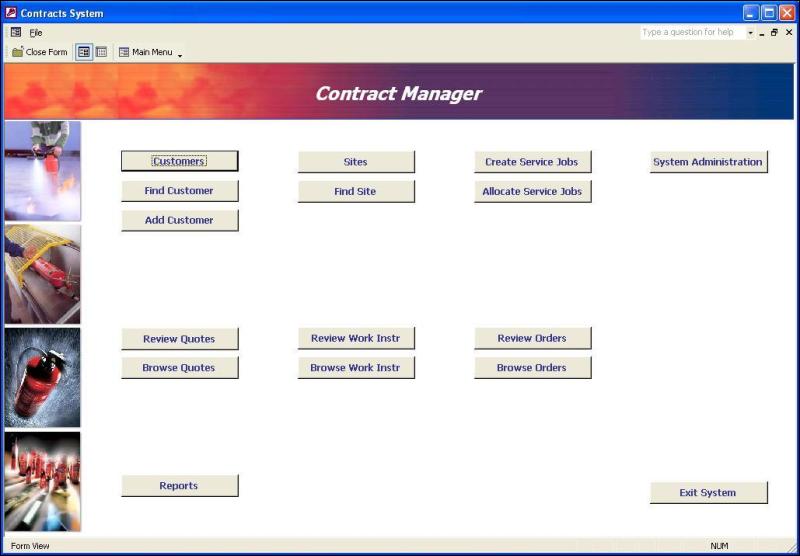
Customer Site Details
Detailed information and history for a customer site, all in
one convenient tabbed form;

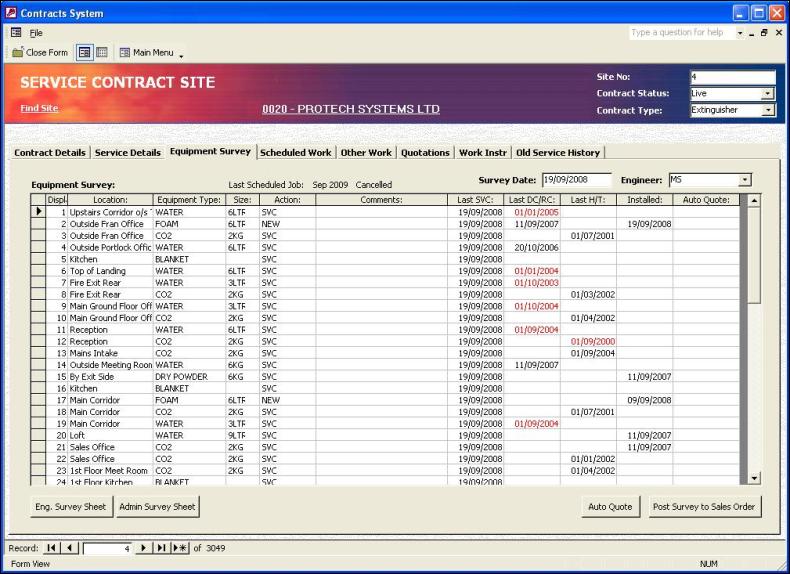
Equipment Survey
The Equipment Survey tab keeps a track of all the customer's
equipment and service history;
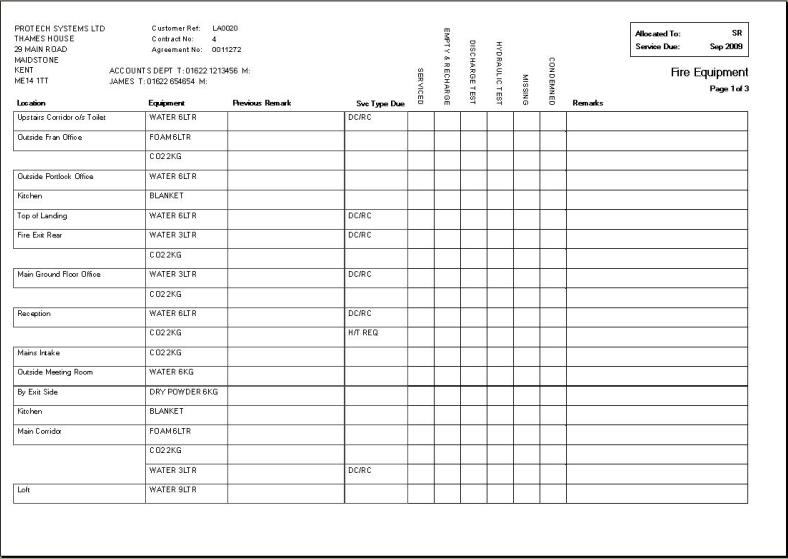
The equipment details are used to print pre-populated
Engineer Survey Sheets with details of planned work and
space for engineer feedback;
Customer Details
Detailed customer information in one convenient tabbed form
giving easy access to Sales Orders, Quotations, Work
Instructions and Customer Sites;

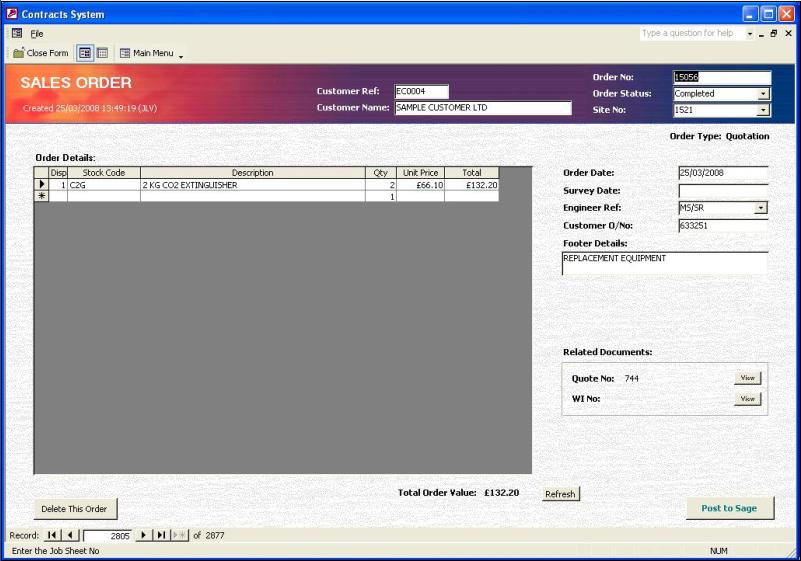
Sales Orders
Ad-hoc Sales Orders can be created with a single click and
posted directly to Sage 50 Accounts;
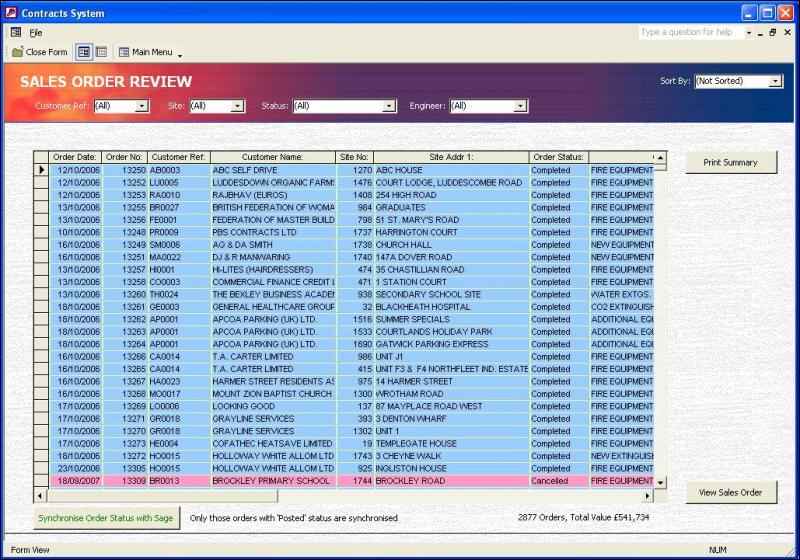
Sales Order Management
This management facility provides an up to date overview of
Sales Orders and allows easy filtering, sorting and printing to
monitor all sales order activity;
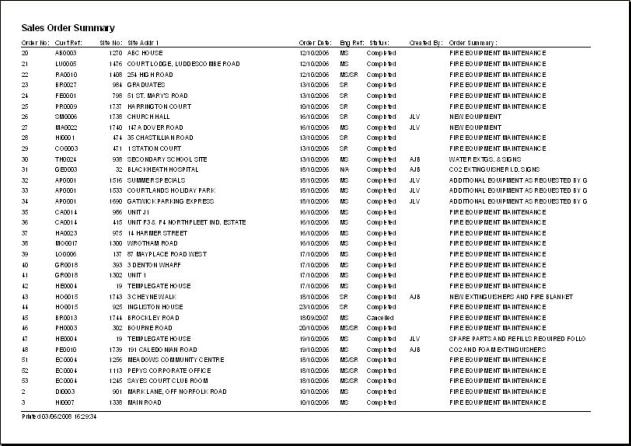
Printed summaries provide a hardcopy of the results meeting
the current filter;
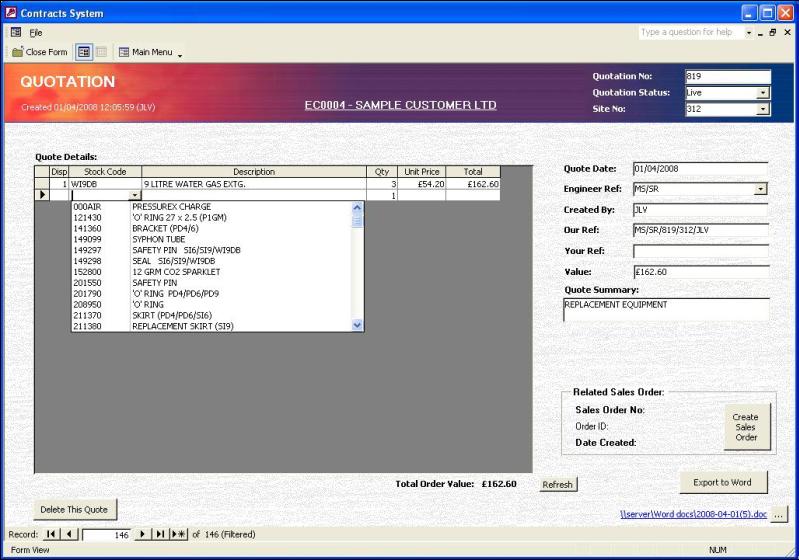
Quotation System
This facility allows stock and service items to be easily
added to a Quotation which is then exported to a Word
document which may be customised, if required, before
printing. A hyperlink to the document (see bottom right of
screen) allows immediate access to the document at any time in
the future;
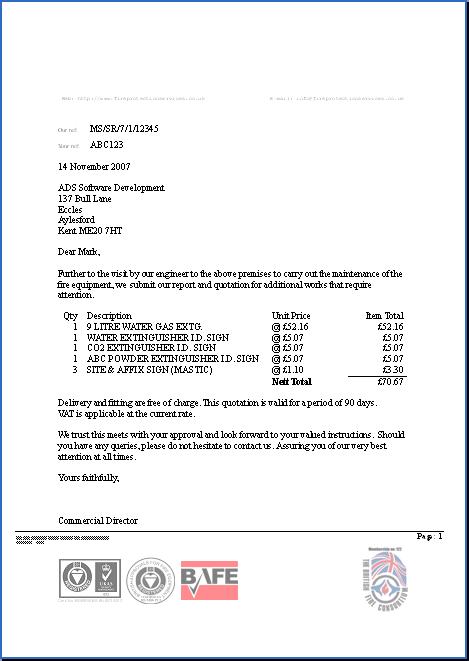
...the final Quotation exported to a Word document
(for printing onto letterhead)
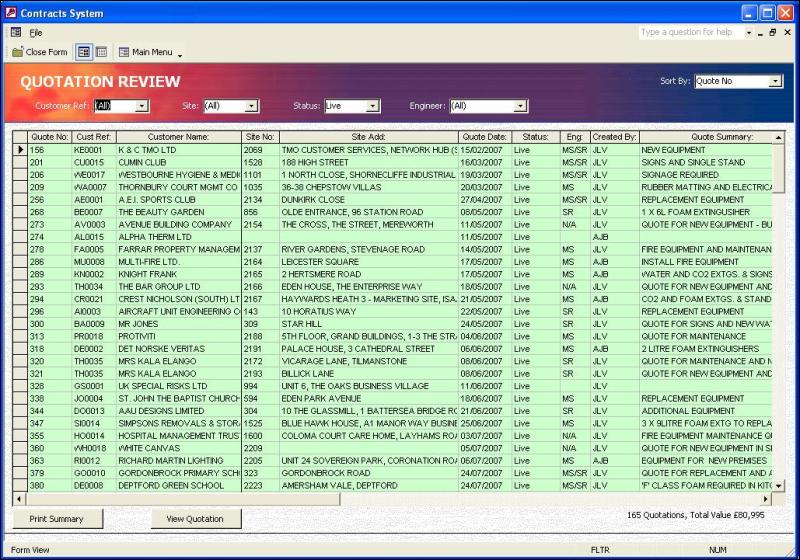
Quotation Management
This management facility provides an up to date overview of
Quotations and allows easy filtering, sorting and printing to
monitor activity;
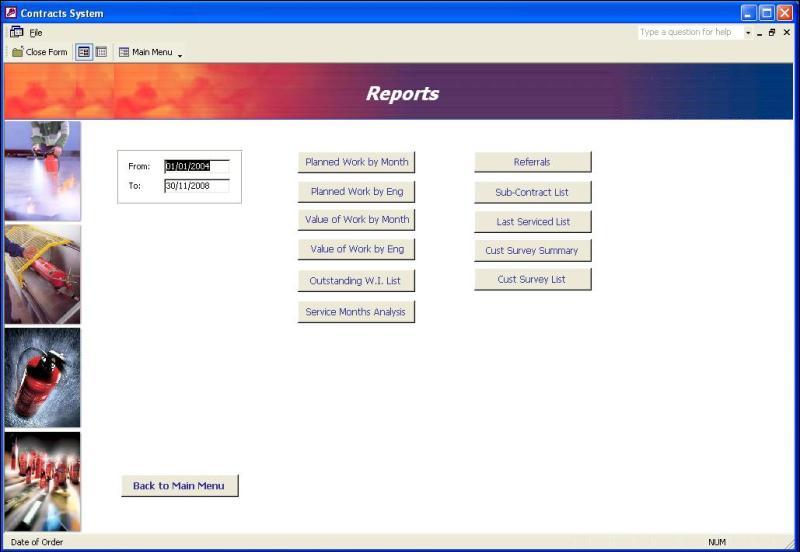
Management Reports
The system includes a number of built-in reports to assist
planning, monitor performance and provide critical feedback to
management;
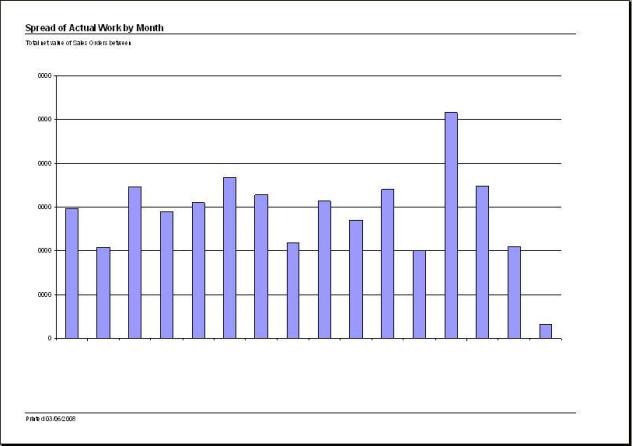
...for example, "Spread of Actual Work by Month" provides
valuable information for resource allocation and cash flow
forecasts;
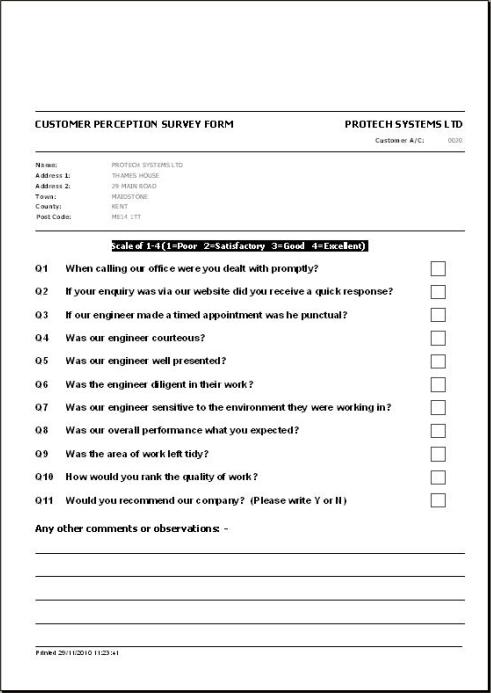
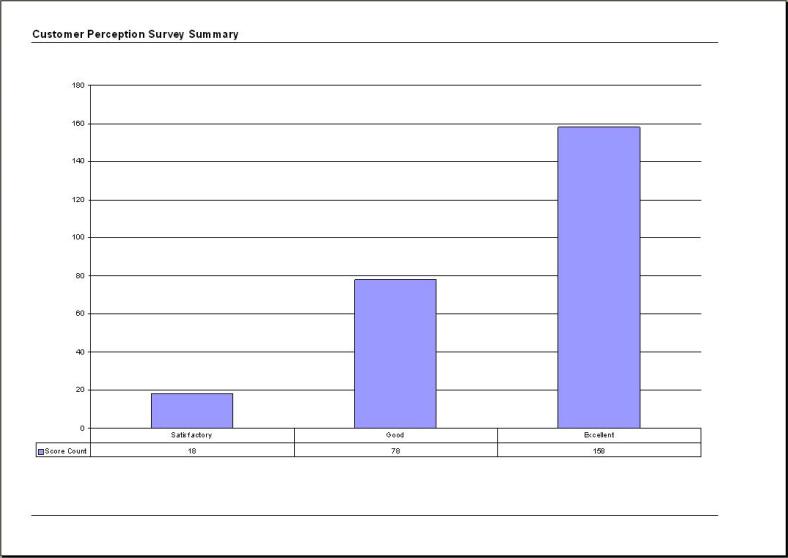
Customer Feedback Monitoring
The system also includes a facility for the automatic
generation of "Customer Perception Surveys". Customers are
routinely asked for feedback on key indicators, the results of
which are logged for graphical analysis;
|